
Your internet goes down.
Your till doesn't.
Billing, stock, kitchen and your own online store, for restaurants, shops, hotels and service businesses - on Android tills that keep selling offline and sync the moment they're back.
Runs on Android tills and any browser. GST and VAT invoicing, with card and UPI QR payments built in.
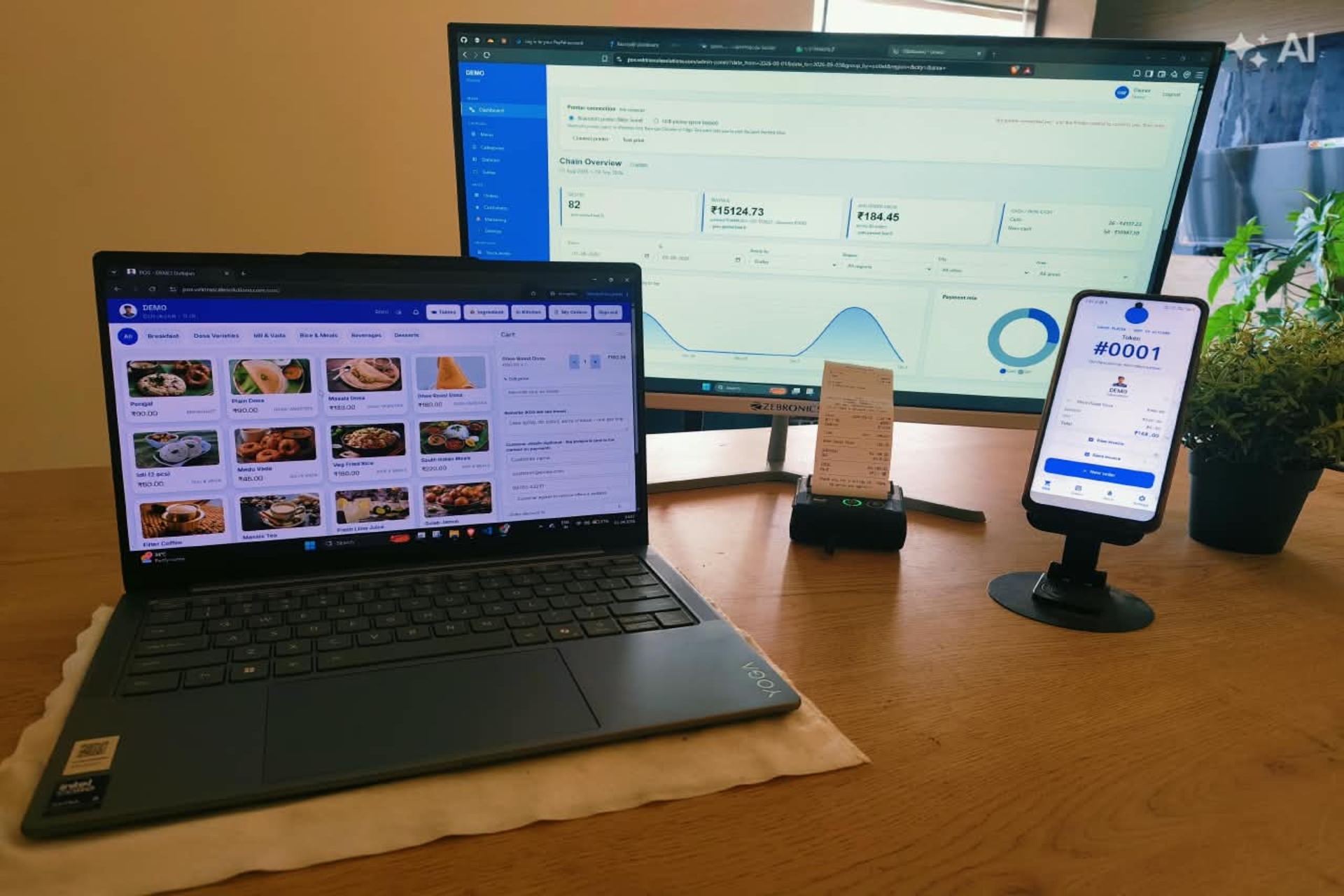 01 - Hero photoprinter mid-print, or the till with a printed receipt1920 x 1280 (3:2), fills the frame
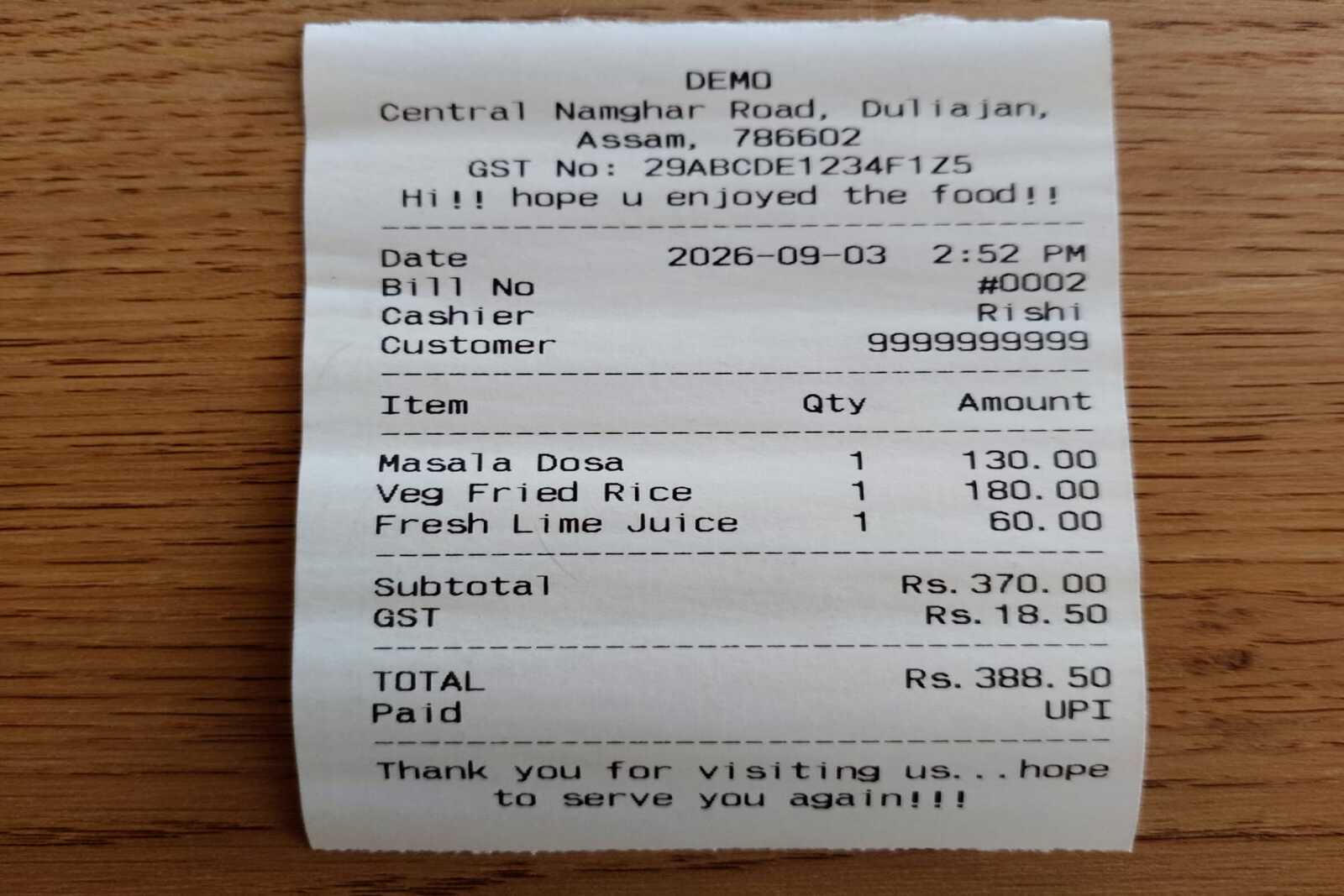 08 - Photo (optional)a real printed receipt on the counter1600 x 1067 (3:2) - leave empty if you used it in the hero
A real receipt, printed from the app. Not a mockup.
Billing that doesn't stop
Take orders on Android tills or any browser. The till keeps selling with no internet and syncs the moment it reconnects; tills on the same network share the same tables with each other.
Cash, card, UPI QR, bank transfer, split payments and tax - all in, nothing bolted on.
Take an advance and settle the balance later, which is how a laundry ticket, a workshop job and a room deposit all work.
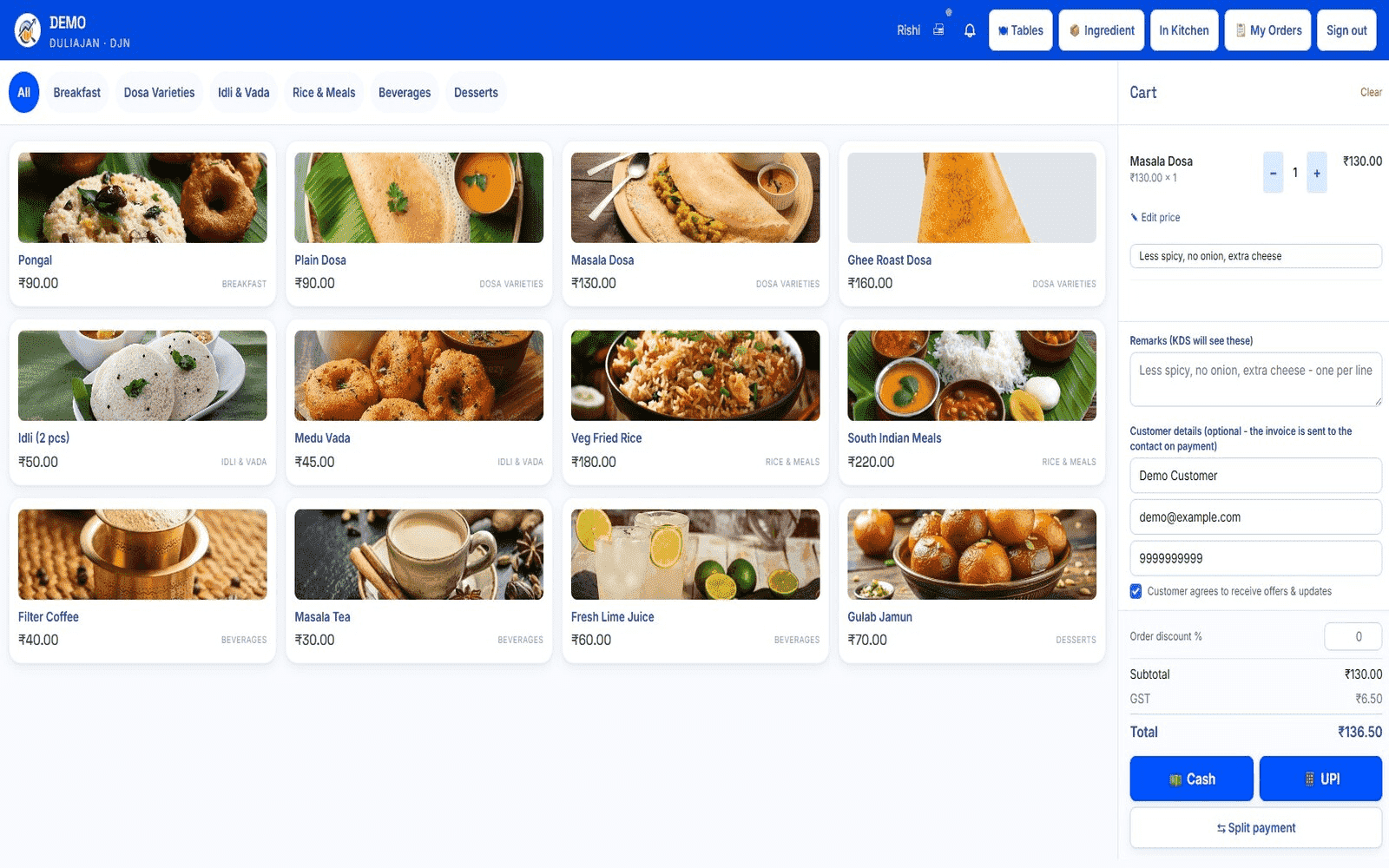 02 - ScreenshotPOS terminal, mid-order1600 x 1000 (16:10), full screen shown
Stock that moves as you sell
Sell a dish and its ingredients come off the shelf; sell a bottle and the bottle does. See what each item costs to make against what you charge, track batches and expiry first-expiry-first-out, and get told before you run out.
- Move stock between outlets, with what's in transit still counted in your stock value
- Count your stock, with sales during the count kept correct
- Make things in-house - a sauce, a gravy - costed from what went into it
- Track serial numbers for items that need them, from delivery to sale
Stock is managed in the browser console. The till shows live stock and stops you overselling - even offline.
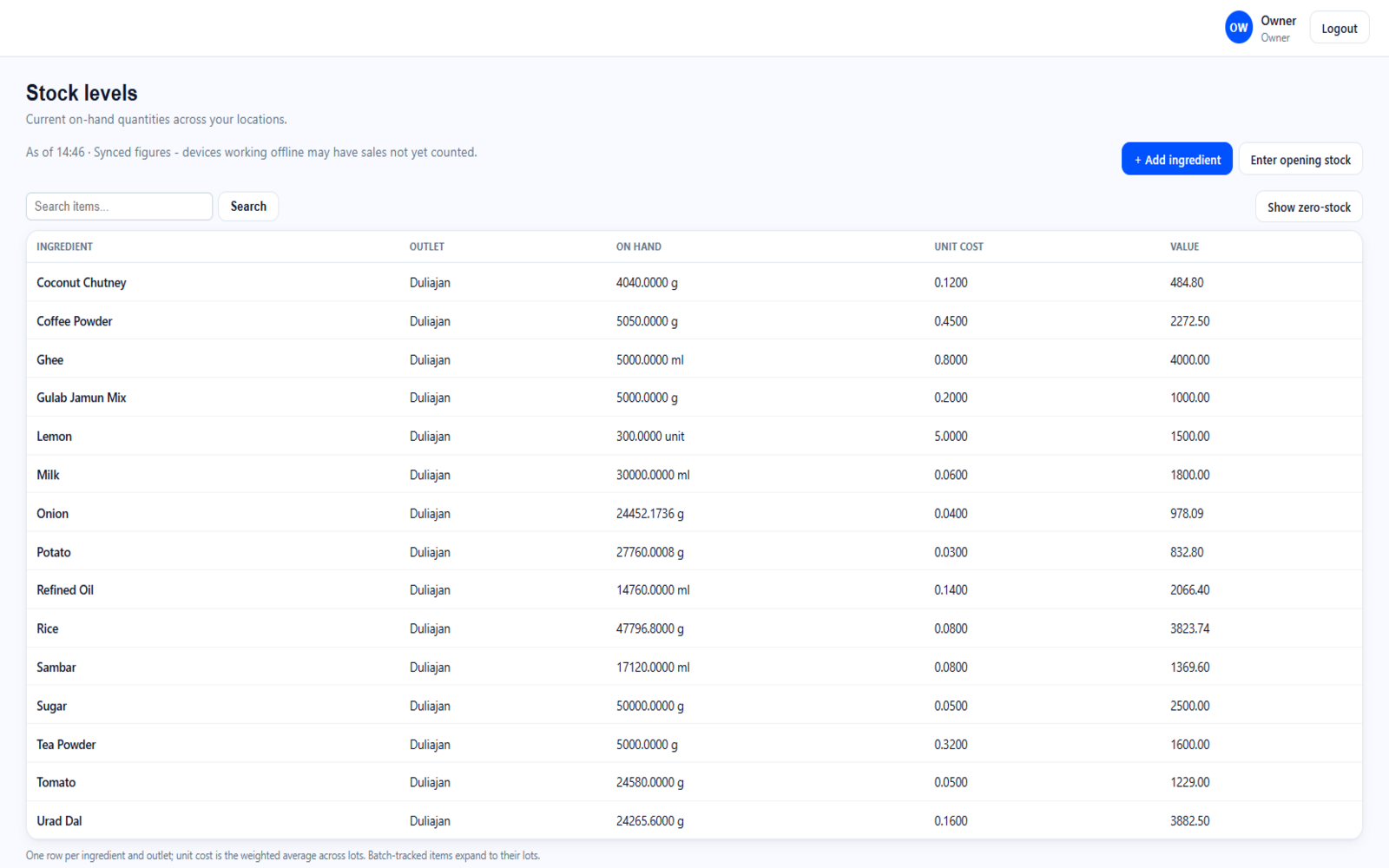 03 - Screenshota stock / inventory screen1600 x 1000 (16:10), full screen shown
Take orders online, under your own name
Share one link. Your customers choose an outlet, browse your menu and order for collection or delivery - paying online, or when they collect. They get an account, their order history and live status. The order lands in your queue, on the same system as your counter.
- Its own menu. Price and list items differently online from the counter - or leave them following the counter's prices automatically
- Your opening hours. The shop says when it's closed and when it opens, rather than taking orders into an empty building
- You approve before anything is made, and the customer is emailed either way
- For properties that rent rooms: guests pick their dates, see what's free and what it costs per night, and book - paying in full, a deposit, or on arrival. It lands on your front desk
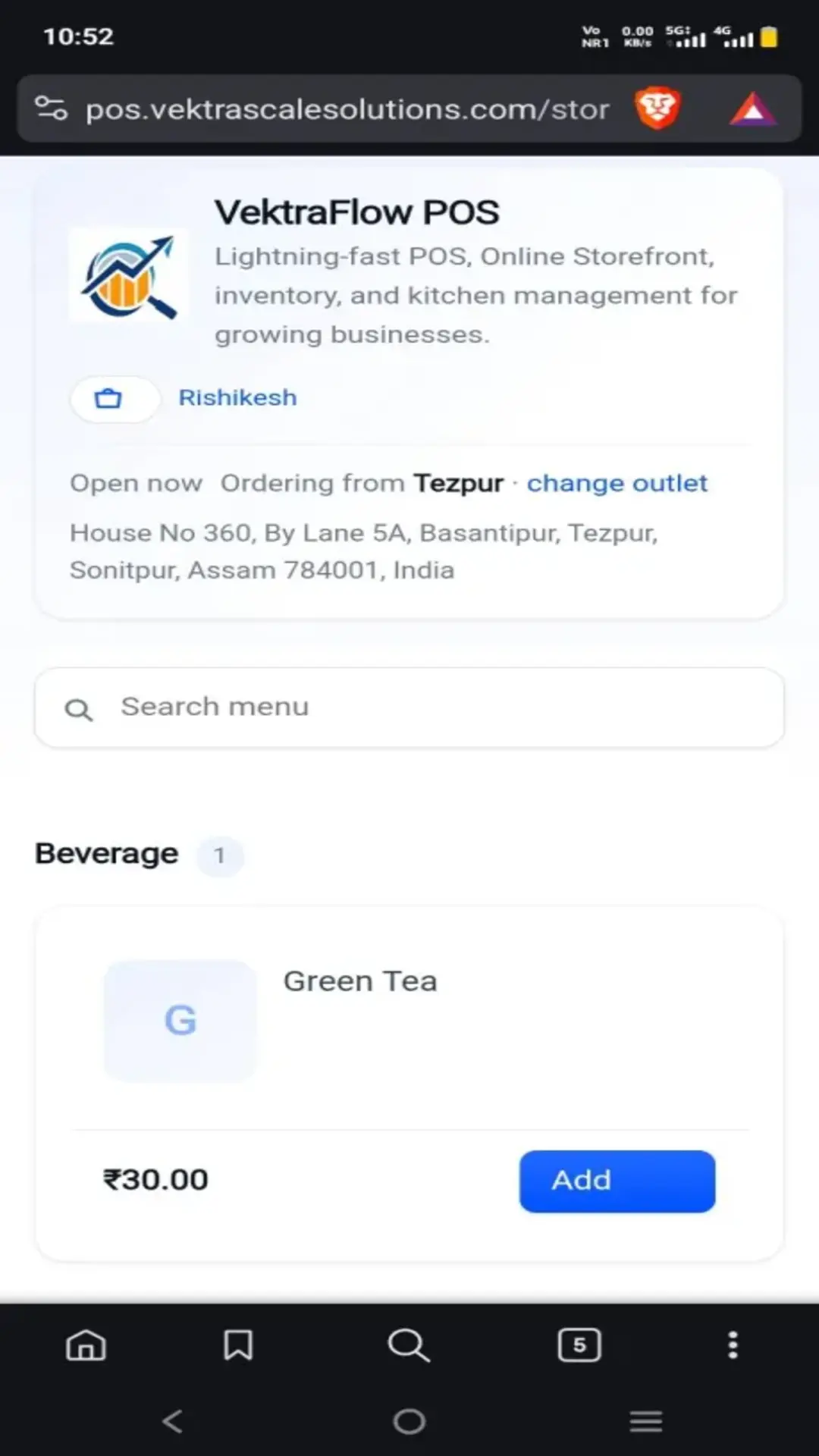 09 - Screenshotstorefront menu on a phone - quantity stepper and sticky basket bar both visible1080 x 1920 (9:16) portrait, shown flat
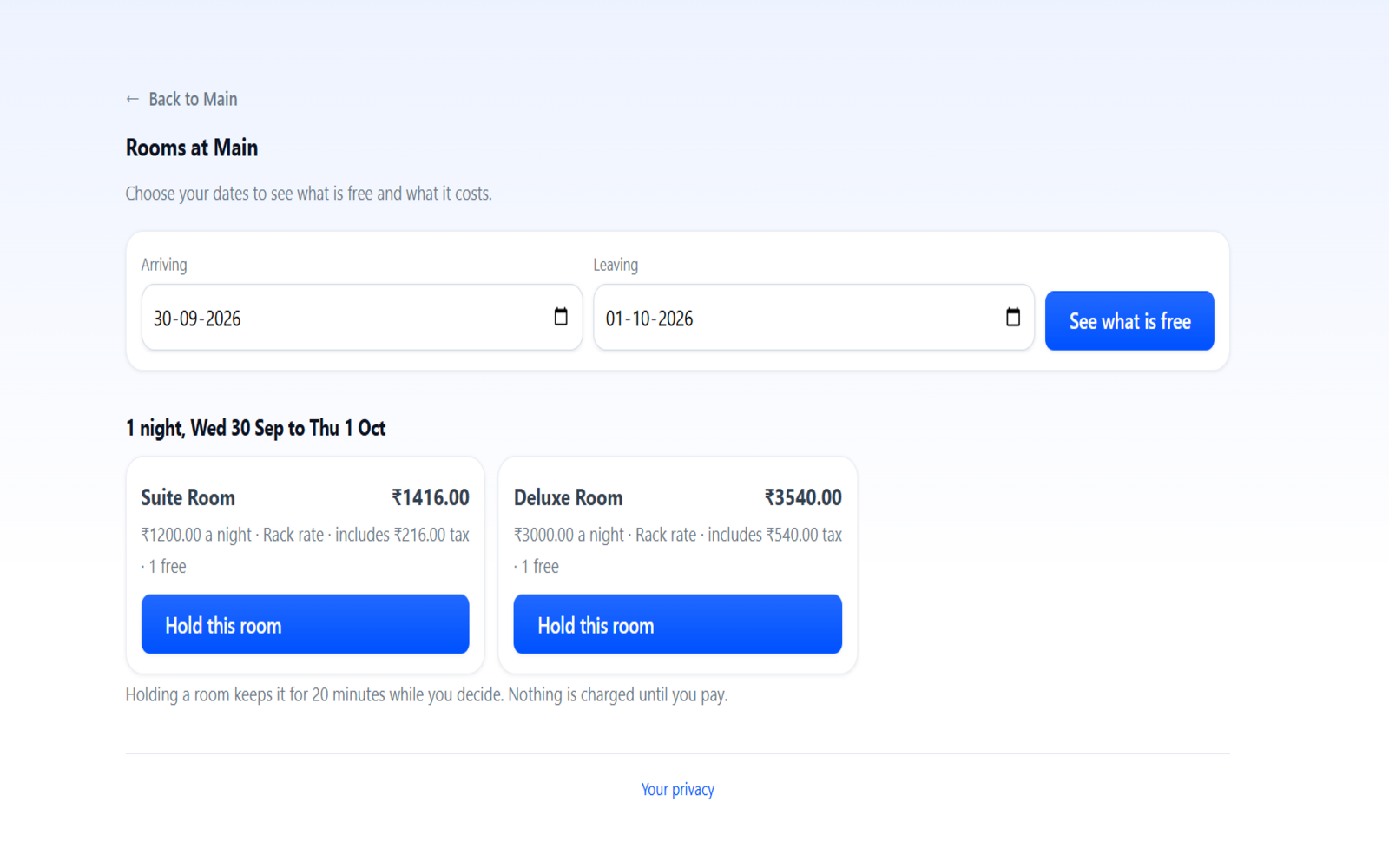 10 - Screenshotroom search with dates and priced resultsPortrait phone or 1600 x 1000 (16:10)
Guests pick dates and see what's free, at what it costs a night.
The kitchen keeps up
Run dine-in tables and tabs, send orders to a kitchen display where staff mark each item ready, and print kitchen tickets with the cashier's notes on every line.
Nothing shouted across a counter, nothing lost between the till and the pass.
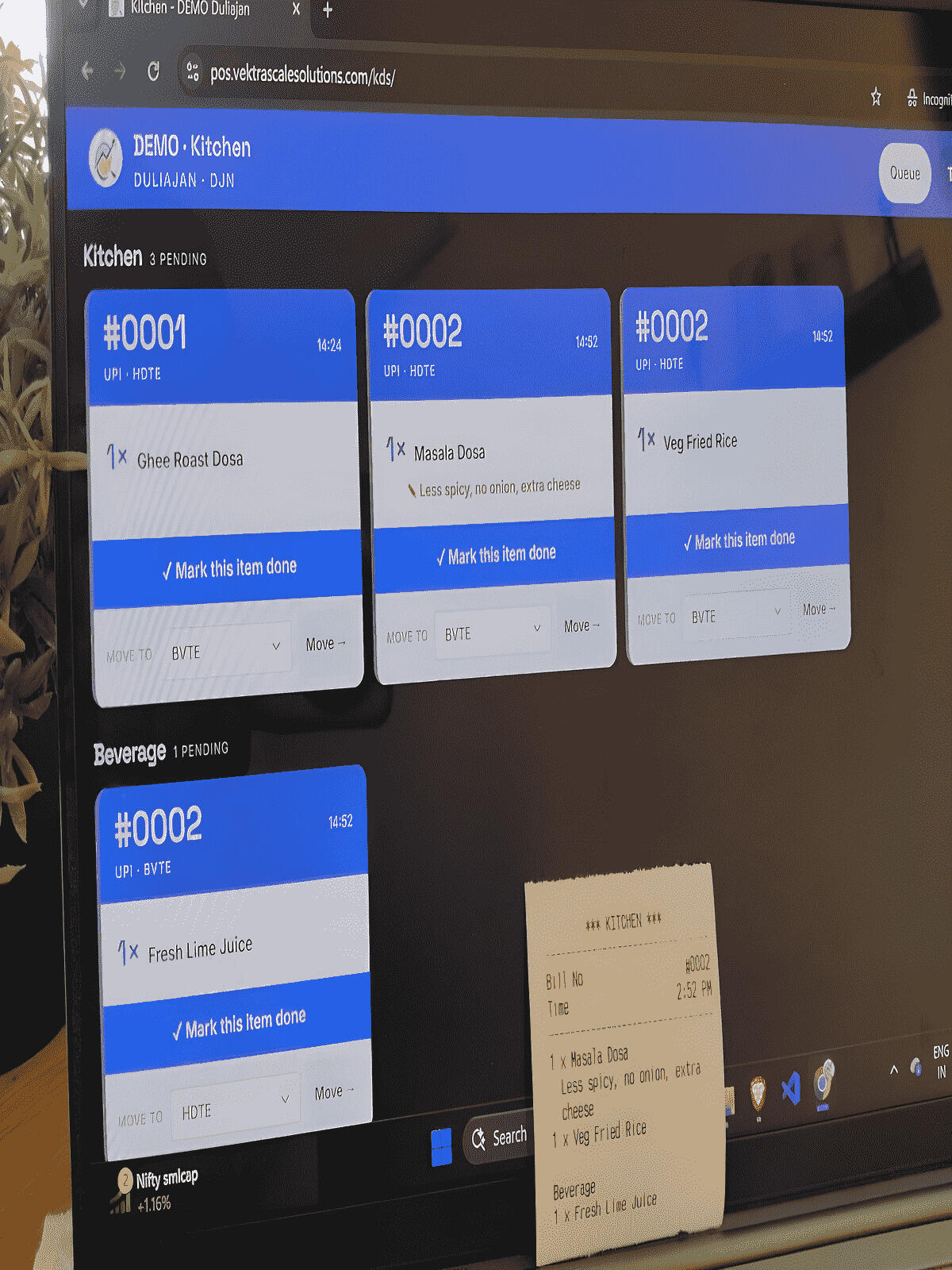 04 - Photothe KOT docket1200 x 1600 (3:4). Or swap in the KDS screenshot (16:10)
Know what's actually happening
A sales dashboard, item-sales and day-summary reports, cost of goods, wastage, and what each product actually earns.
Run several outlets from one account and compare them side by side.
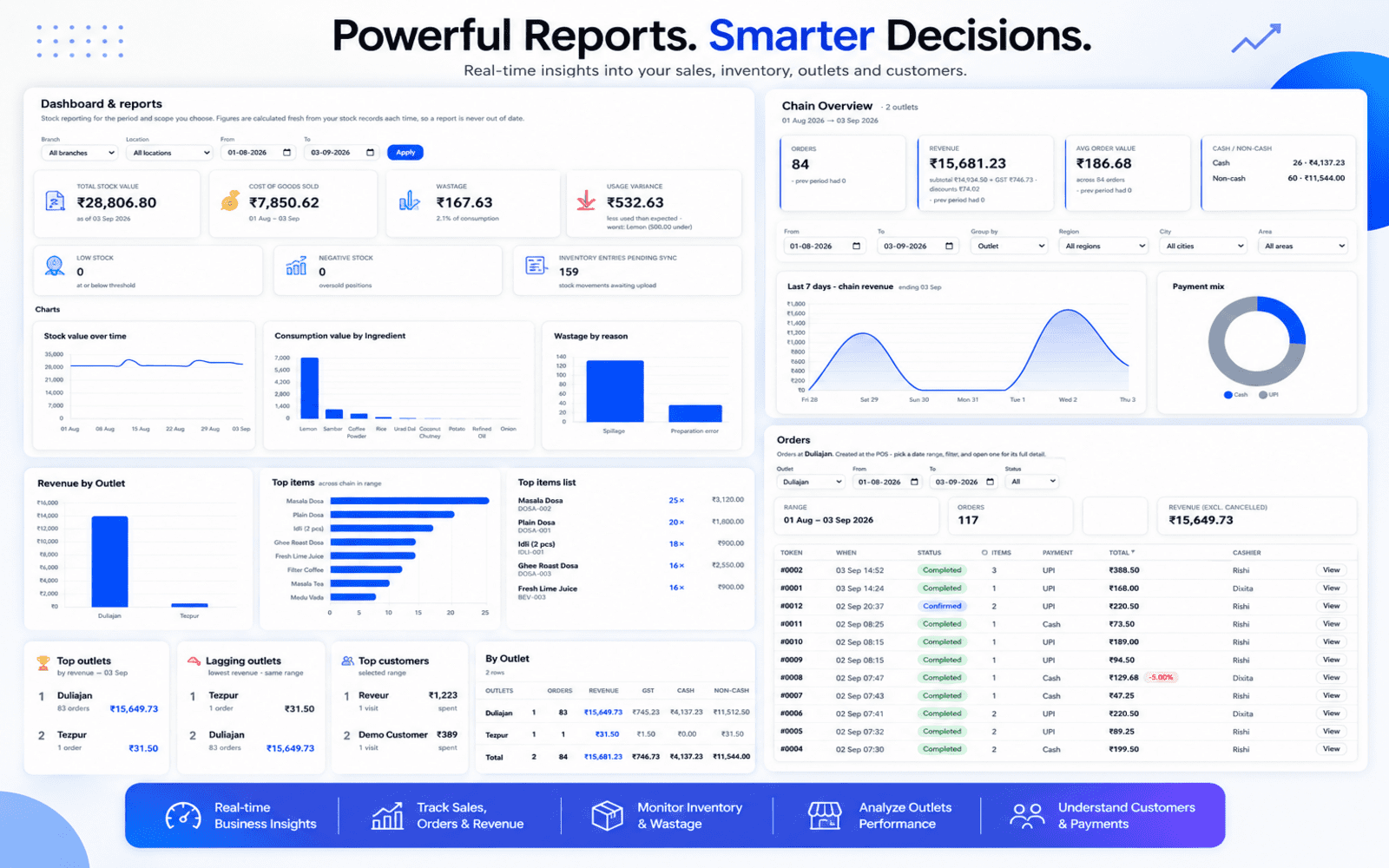 05 - Screenshotthe dashboard with charts1600 x 1000 (16:10), full screen shown
The software speaks your industry's language
It isn't a restaurant system with other businesses bolted on. The screens reword themselves - a restaurant sees Menu and Ingredients, a workshop sees Catalogue, Parts and Jobs, a salon sees Services and Appointments. Stock behaves differently too: a pharmacy tracks batch and expiry by default, a workshop issues parts to a job.
And it isn't only the words. The way a sale works changes too. A restaurant runs a tab per table. A workshop opens a job card that parts and labour add to - and reopens it for a warranty return. A hotel keeps a folio that the room, the restaurant and the spa all charge to. One till, one bill, one set of reports.
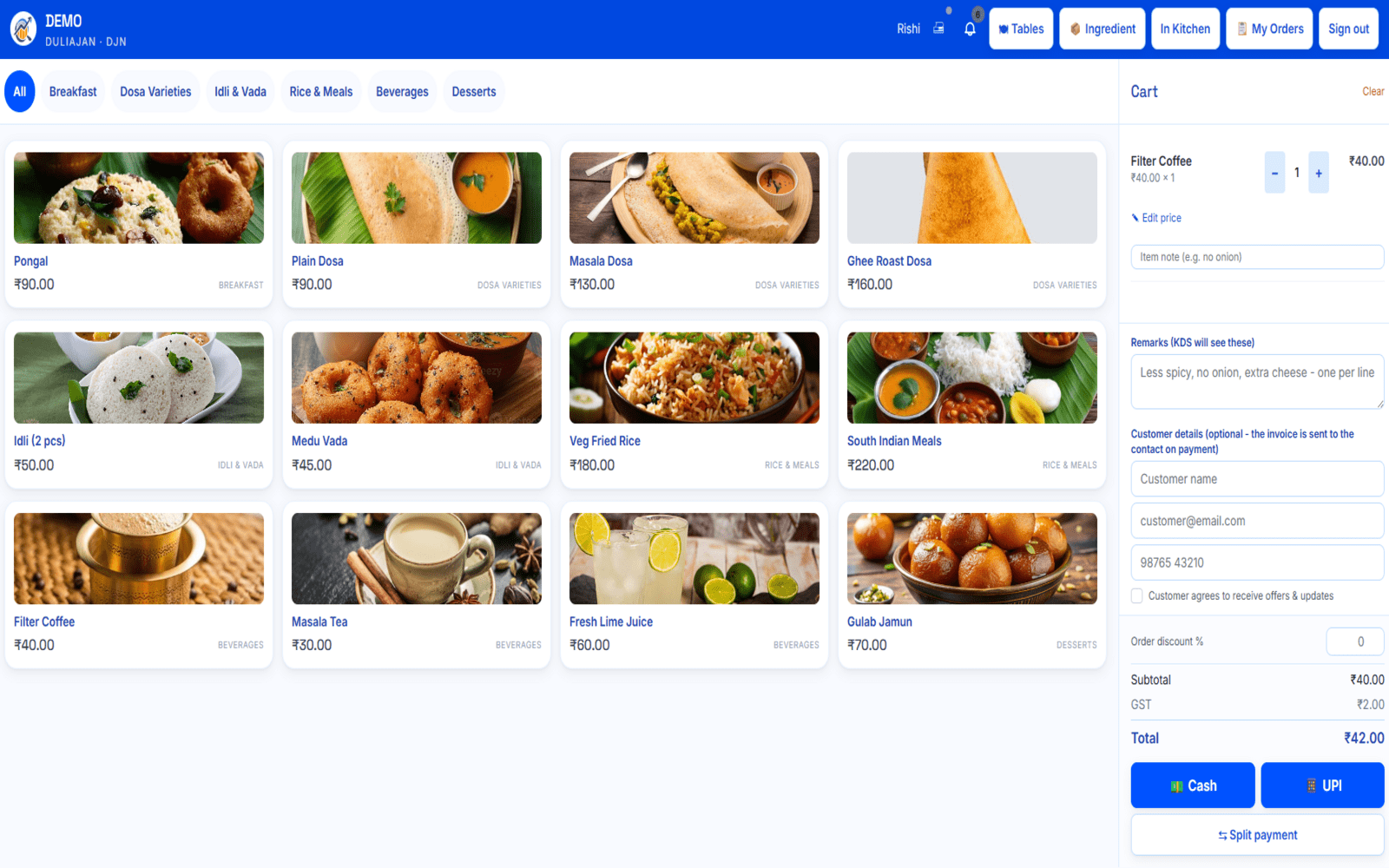 06 - Screenshotbilling screen, Restaurant wording1600 x 1000 (16:10)
Restaurant
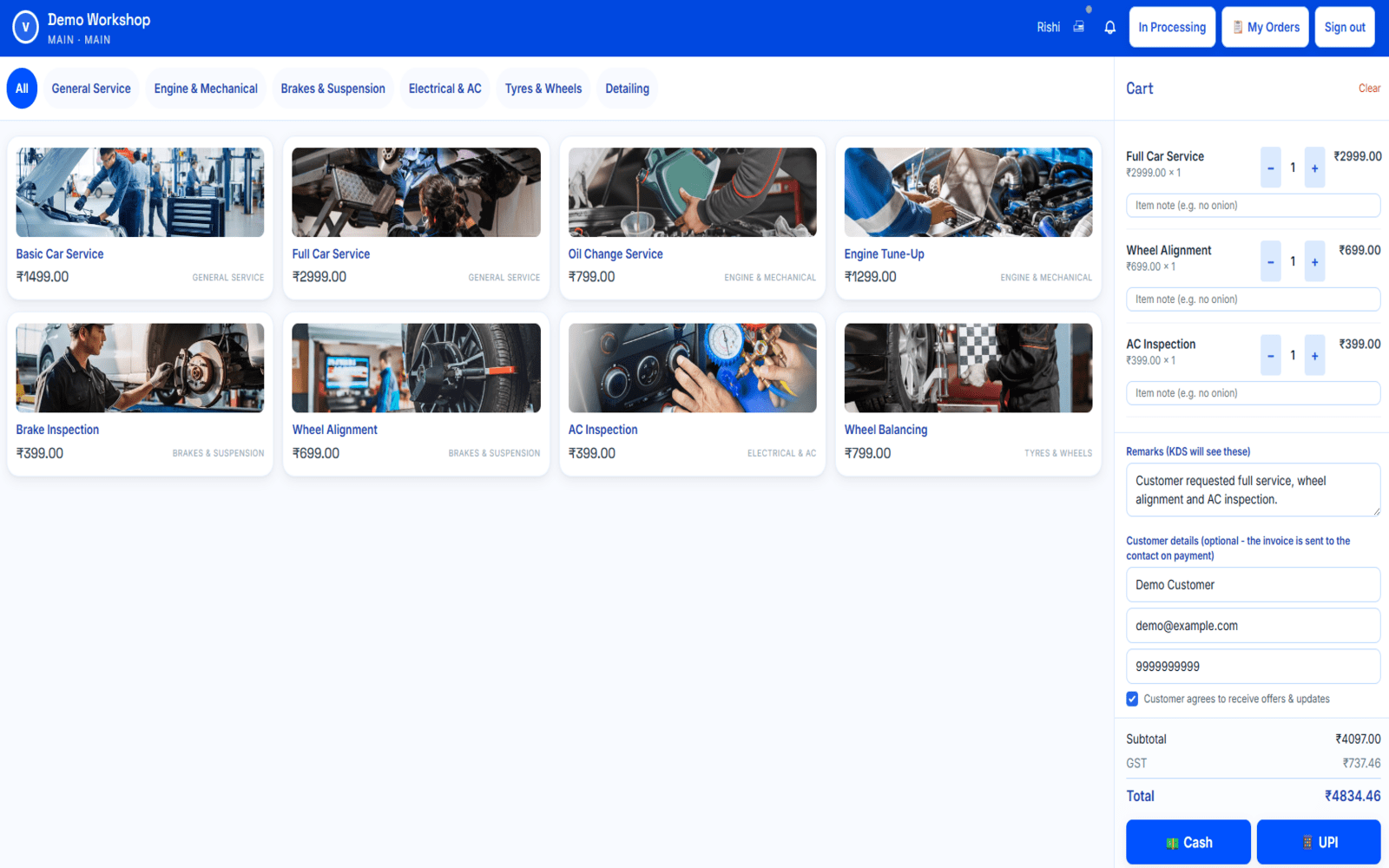 07 - Screenshotsame screen, Workshop wording1600 x 1000 (16:10), identical framing to 06
Workshop
The same billing screen, in two industries' words.
The engine is general - these are the business types set up today, and it's configurable for others.
Everything else you'd expect
- Per-user permissions, with PIN login on shared tills
- Emailed invoices with a shareable customer link
- Credit notes against a billed order, with a reason
- Refunds through the payment gateway, straight from the order
- Advances and part payments, settled later
- Customer records and purchase history
- Email marketing to customers who opted in
- Customers can update or delete their own account - and you set how long personal data is kept
- Discounts and price overrides, with approval
- Thermal printing over Bluetooth or USB, 58mm and 80mm
- Your branding throughout
- ERP integration for your accounts
Licence-based pricing
Everything you need to get fast billing, GST/VAT invoicing, and multi-terminal operations running smoothly.
- POS & Billing
- Offline Mode
- Thermal Printing (58mm & 80mm)
- GST & VAT invoices
- UPI, card & online payments
- Credit notes & refunds
- Multi Outlet Support
- Staff Roles & Permissions
For businesses that want more control over their daily operations.
- Everything in Starter
- Tables, job cards & room stays where applicable
- KDS / Workflow Management where applicable
- Order Status Tracking
- Advances & part payments
- Enhanced Operational Controls
- Stock: consumption, wastage, transfers, counts, batch & serial tracking
For businesses that want to turn their transactions into customer relationships.
- Everything in Business
- Your own online store - customers order and pay online
- Online room booking - where applicable
- CRM & Customer Transaction Profiles
- Email marketing to consented customers
- Target campaigns by customer tier, outlet, spend or how recently they visited
- Multi-outlet reporting
Because not every business works the same way.
- Custom Feature Selection
- Multiple Outlets & Additional Licences
- Custom Roles & Permissions
- Third Party / API Integrations
- Dedicated Configuration & Onboarding
Staff logins and paired devices are licensed per account, and how many you get depends on the plan - confirmed when we talk. The account owner is always free and never counted. Need multi-chain deployment? Book a 1-on-1 demo to get a tailored quote.